LeaguePour

How it works

From signup page to standings

LeaguePour runs the parts of a bar league or tournament that eat your time: taking signups, collecting entry fees, building the bracket, keeping standings, and getting players back next week. Here is the whole flow.

  1. 1

    Create your venue

    Sign up with your name, email and venue name. A new venue can run one competition at a time free, with every feature.

    • Connect Stripe only if you want to charge entry fees - free ($0) events need nothing else.
    • Add staff accounts so managers can publish and score without sharing a login.
    Plans and fees →
  2. 2

    Build the competition

    Pick the game (darts, cornhole, trivia, pool, euchre, poker, shuffleboard or custom) and the format.

    • Single elimination and round robin generate the bracket or schedule for you; Custom lets you run any other format by hand.
    • Choose solo, captain-led team, or full-roster signup, a participant cap, signup dates, rules, prizes and an optional waiver.
    • Save it as a draft as long as you like - drafts never count toward your plan.
    Round robin vs. single elimination →
  3. 3

    Publish and share signup

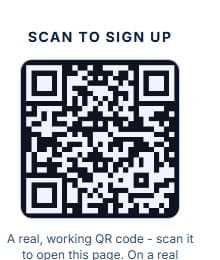
    Publishing gives the competition its own public page and a QR code to put on table tents or the bar TV.

    • Players register from their phone - no app download. Paid entries go through Stripe Checkout on your own Stripe account.
    • Signup closes automatically at your cap. Your venue page lists everything you have running, and a one-line embed puts upcoming events on your website.
    How to price entry fees →
  4. 4

    Run the night

    Close signup and press Start Tournament: round one (or the full round-robin schedule) is generated from the registrations, with byes handled for odd fields.

    • Enter each match score from the venue dashboard; standings recalculate and single-elimination rounds advance from the winners.
    • Open the live scoreboard on a TV behind the bar so players follow along.
    See a demo league →
  5. 5

    Fill the next one

    Everyone who registered or follows your venue is in your audience.

    • Email campaigns start from a goal - signup closing, starts tomorrow, join the next one, or a winner recap - and only reach players who opted in.
    • Duplicate a finished competition to reopen signup for next season without rebuilding it.
    Managing no-shows and forfeits →

What players see

The public standings page and signup QR code from the demo league - the same screens your players get.
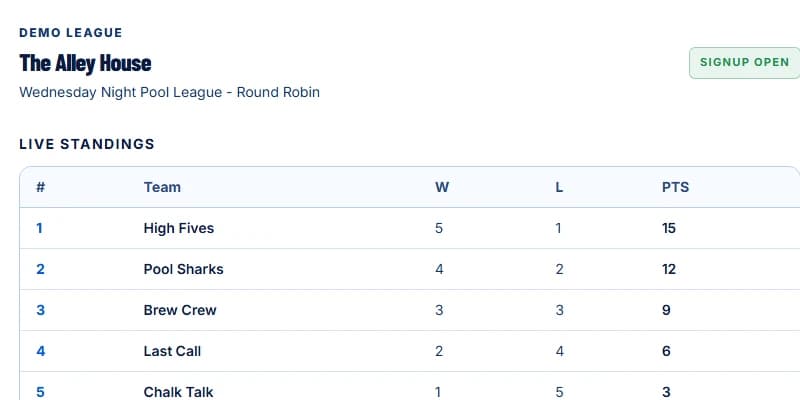
A real LeaguePour public competition page showing live standings for a demo pool league.
A real, working LeaguePour QR sign-up code from the demo page.

Signing up to play instead?

Players don't need anything from you: they find the event page or scan the QR code and register. How it works for players · Find a game night